

How to Write Better AI Prompts for Interior Design (With 10 Real Examples)
You've opened Midjourney. You've typed 'modern living room' and hit enter. You've got back something that looks like a hotel lobby in a country you've never been to.
Sound familiar?
The gap between what most designers expect from AI image tools and what they actually get usually comes down to one thing: the prompt. Not the tool, not the subscription tier, not the time of day — the prompt. AI tools are only as specific as the instructions you give them, and most designers start by giving them almost no instructions at all.
This guide covers the principles behind effective prompting for interior design — and then puts those principles into practice with 10 real, ready-to-use prompts across different use cases. Copy them, adapt them, make them yours.

The quality of your AI output is a direct reflection of the quality of your input. Better prompts, better results — every single time.
Prompting Isn't Magic — It's a Skill
The designers getting consistently great results from AI tools aren't using secret software or special settings. They've learned to communicate with precision — to translate a design direction into language that an AI can act on specifically.
That's a learnable skill. It follows clear principles. And once you understand those principles, you'll find they apply across every AI tool you use — image generation, writing assistants, rendering tools, everything.
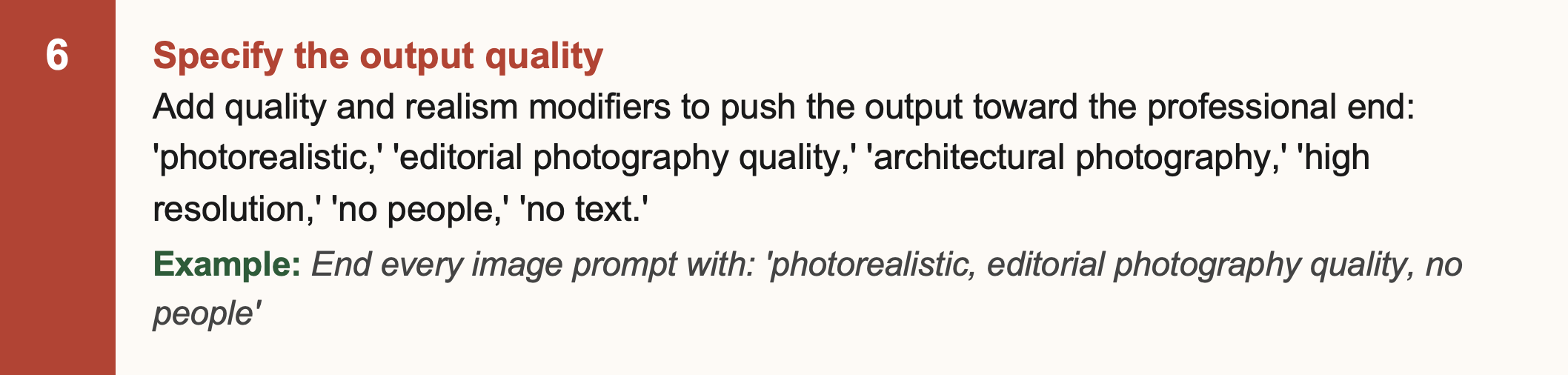
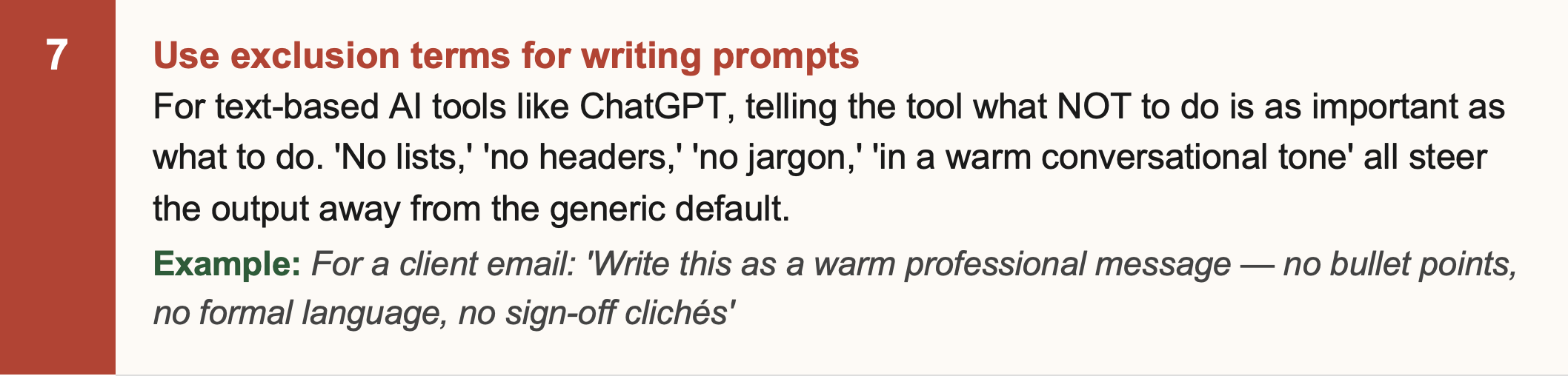
The 7 Principles of Strong Interior Design Prompts

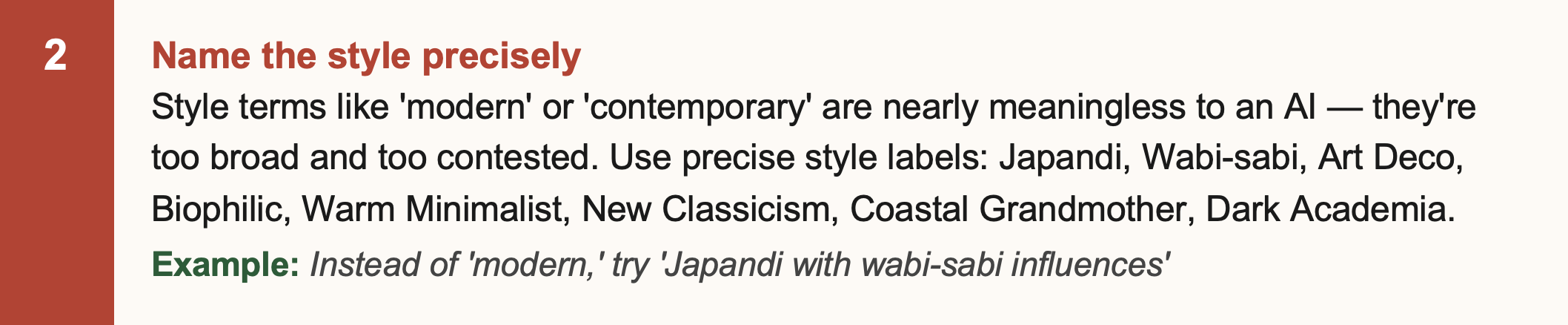
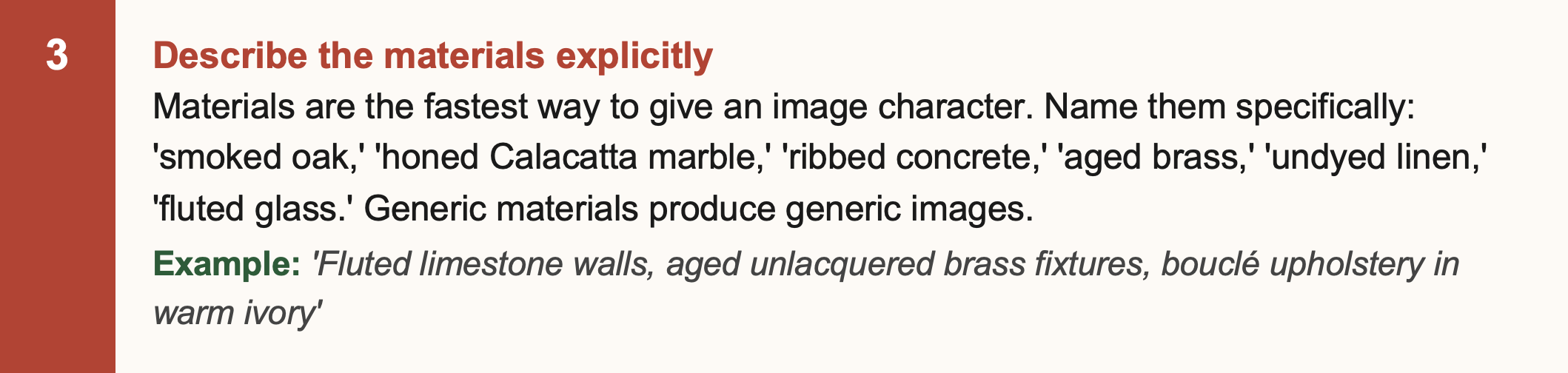
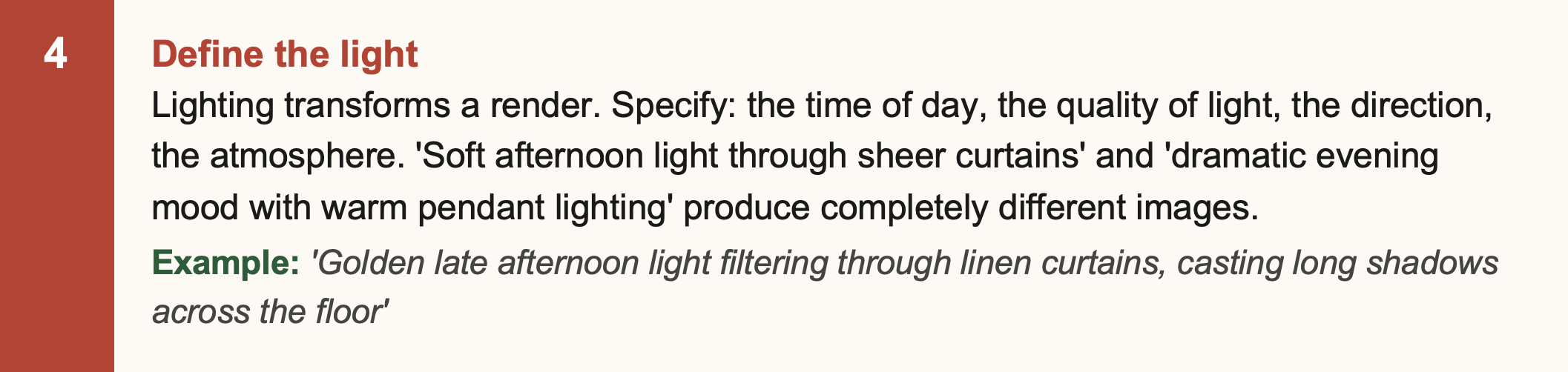
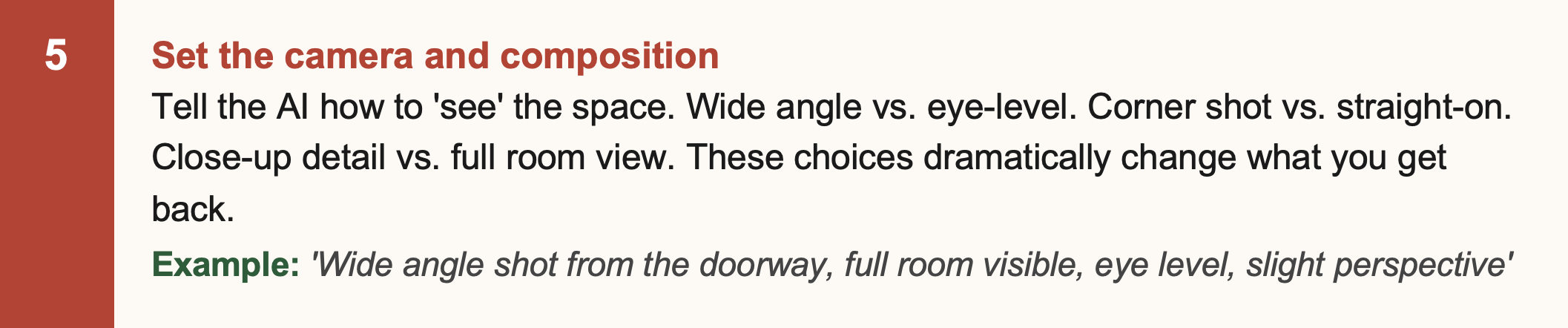
Weak vs. Strong: The Difference in Practice
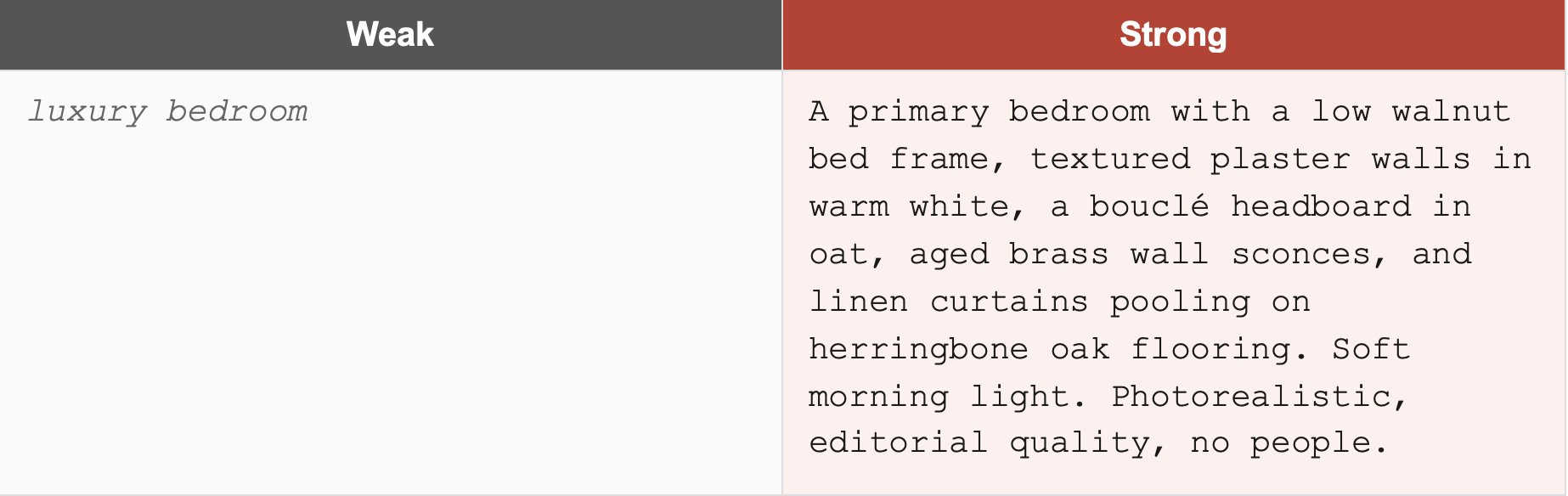
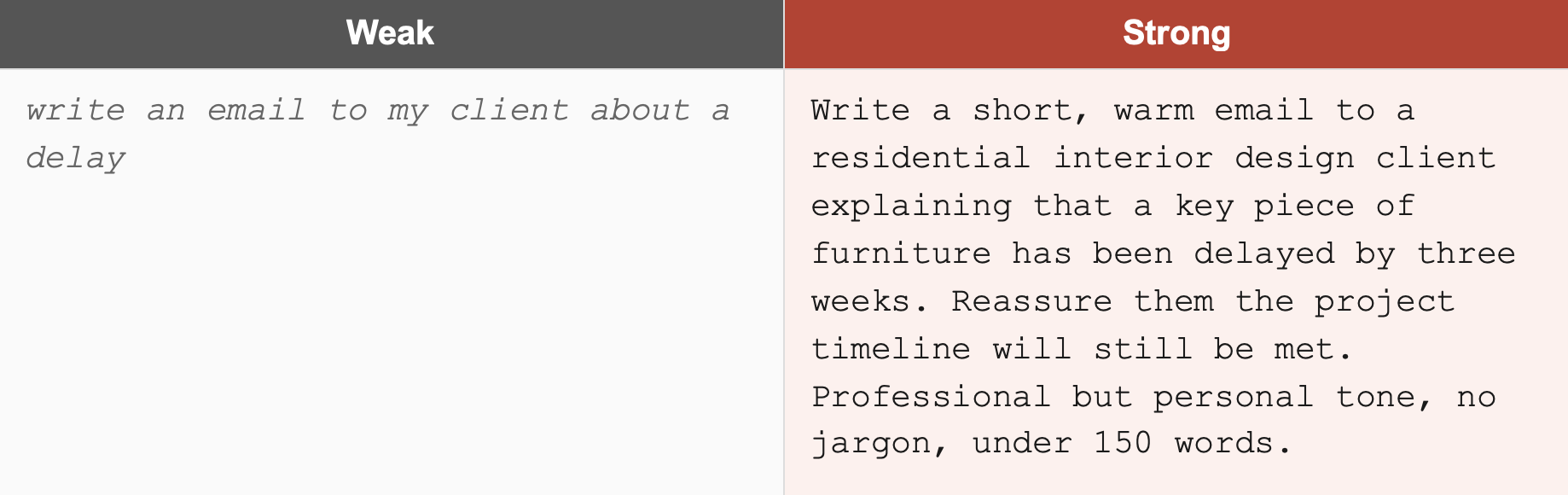
Before the 10 examples, two quick side-by-side comparisons that show how dramatically prompt quality changes the output:
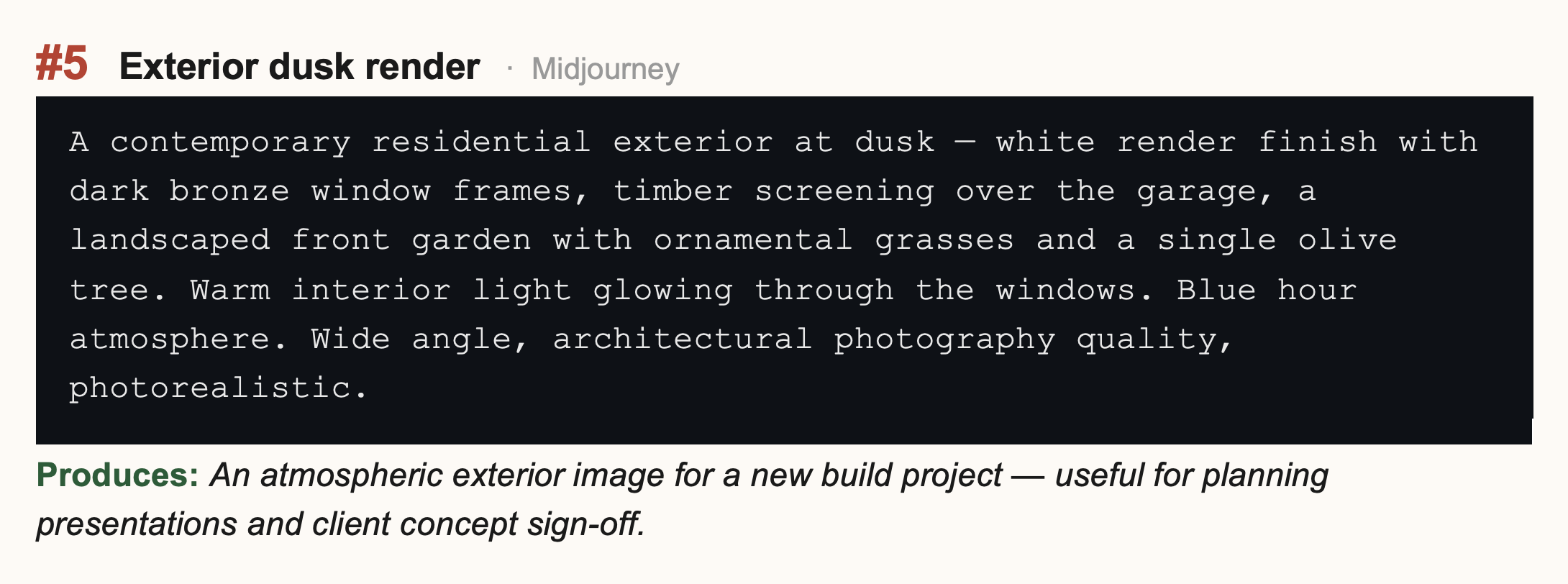
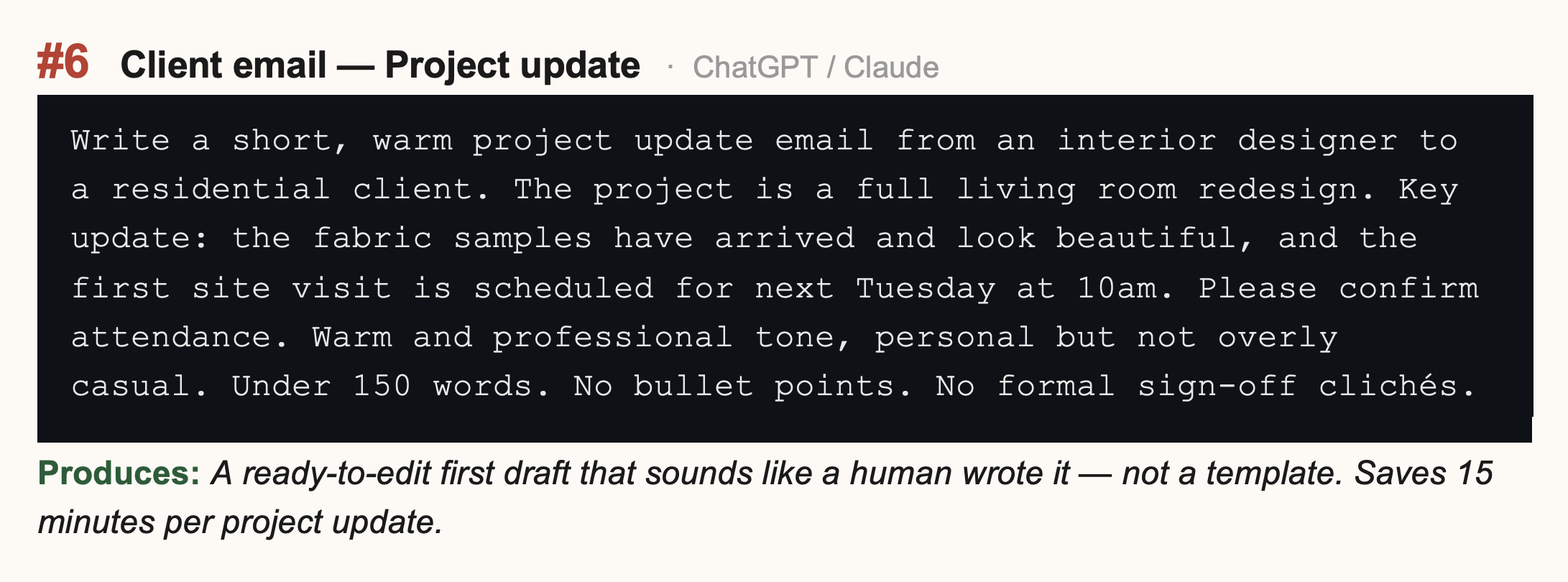
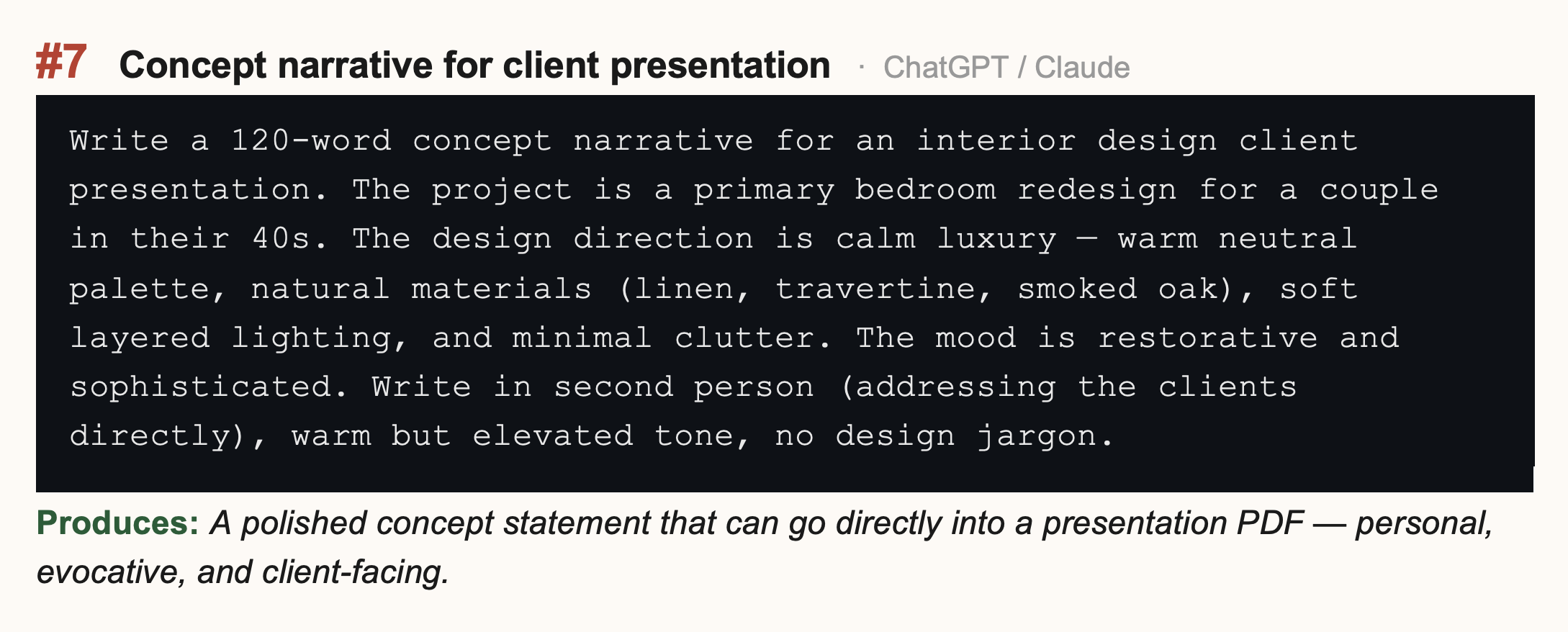
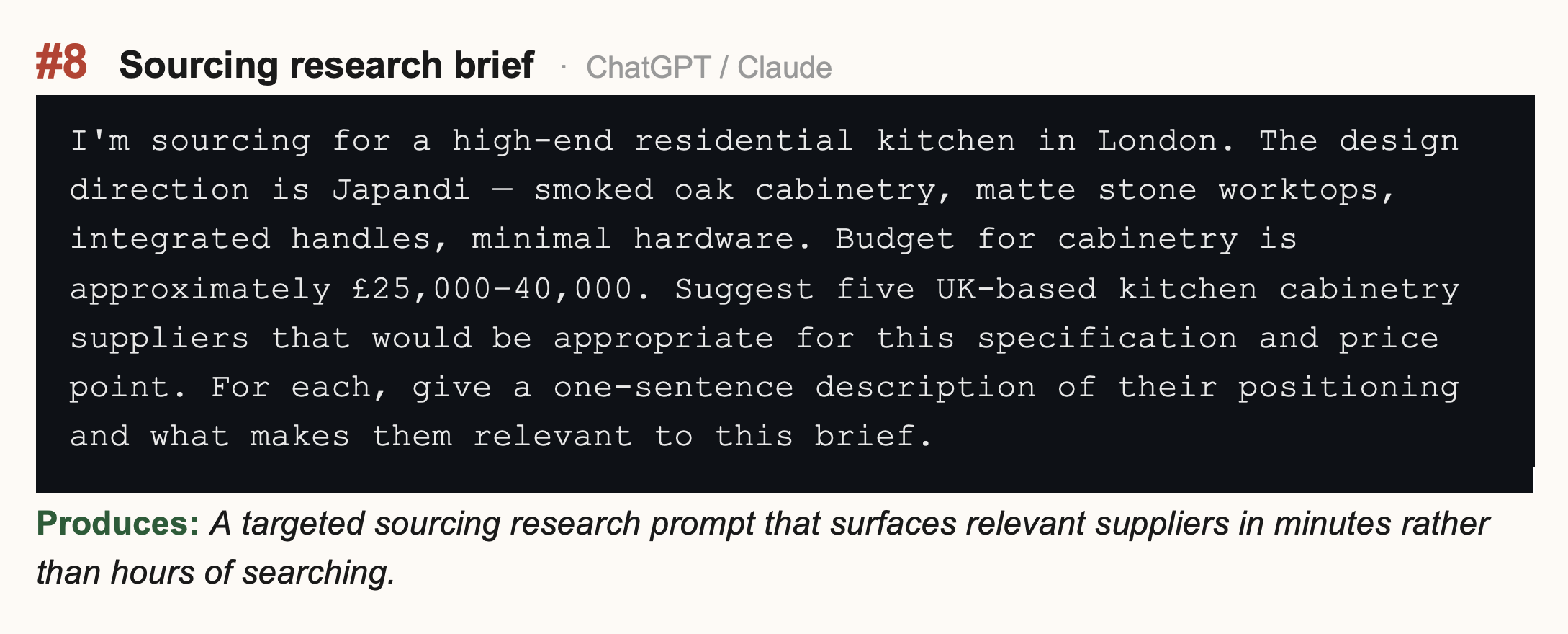
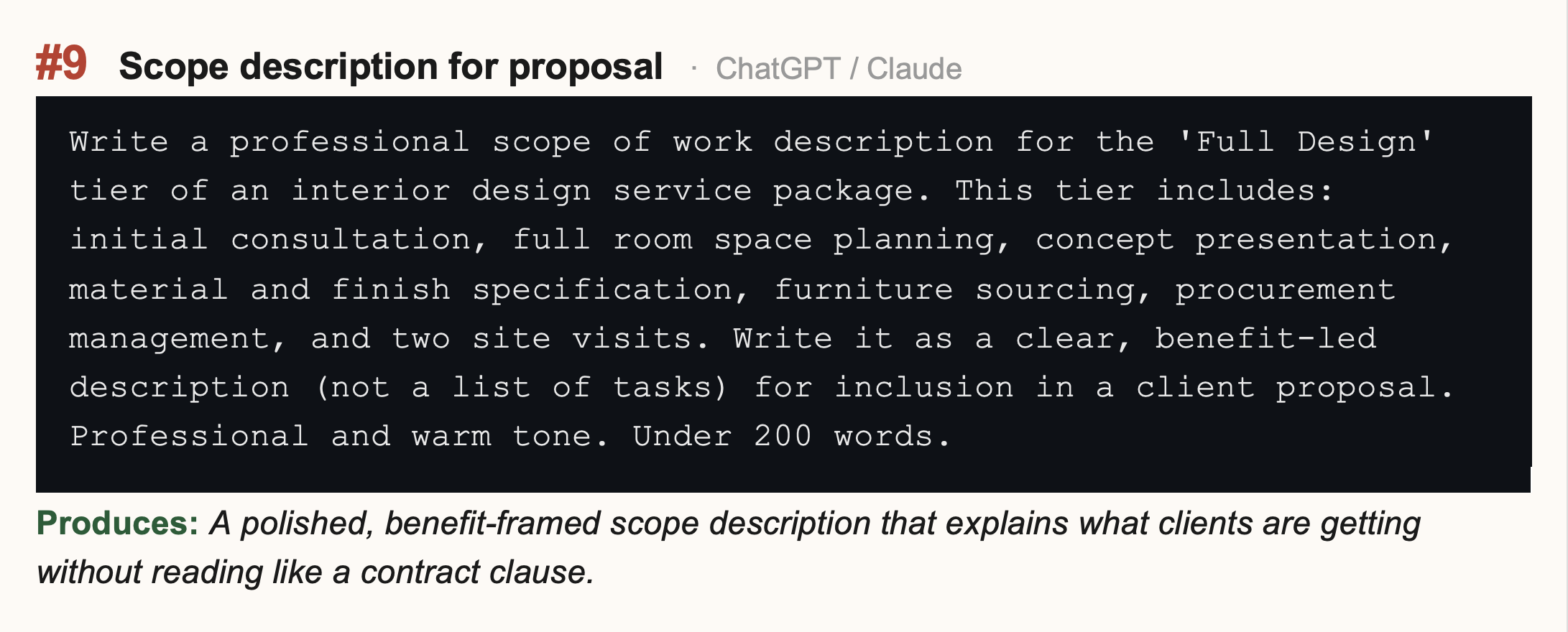
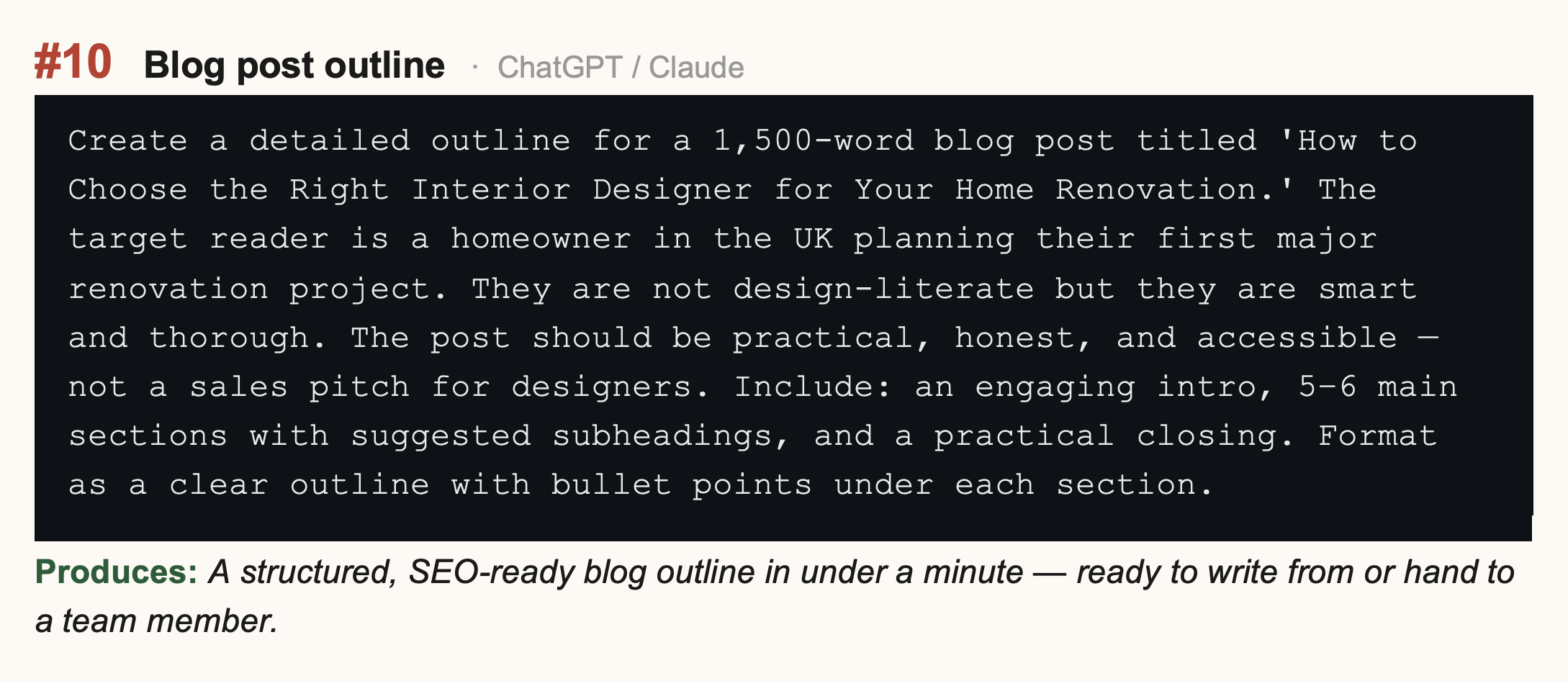
10 Real Prompts for Interior Designers
These are prompts built for the specific tasks designers actually face. Each is ready to use — adapt the details to your project and client.
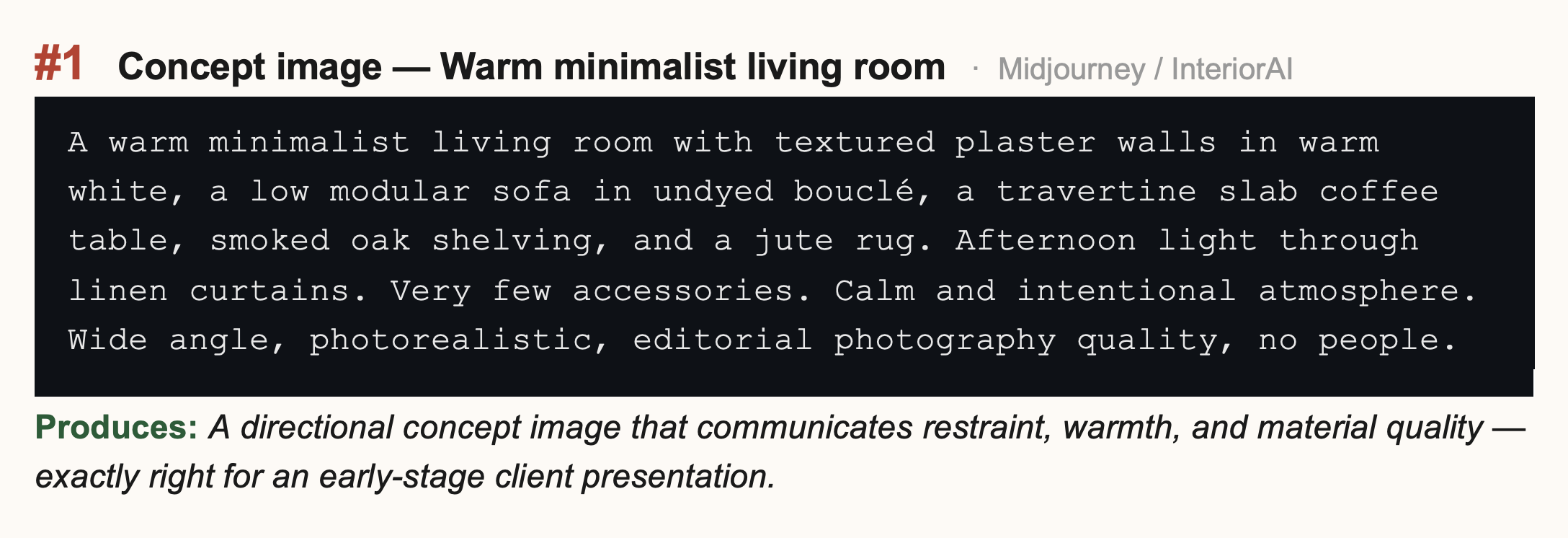
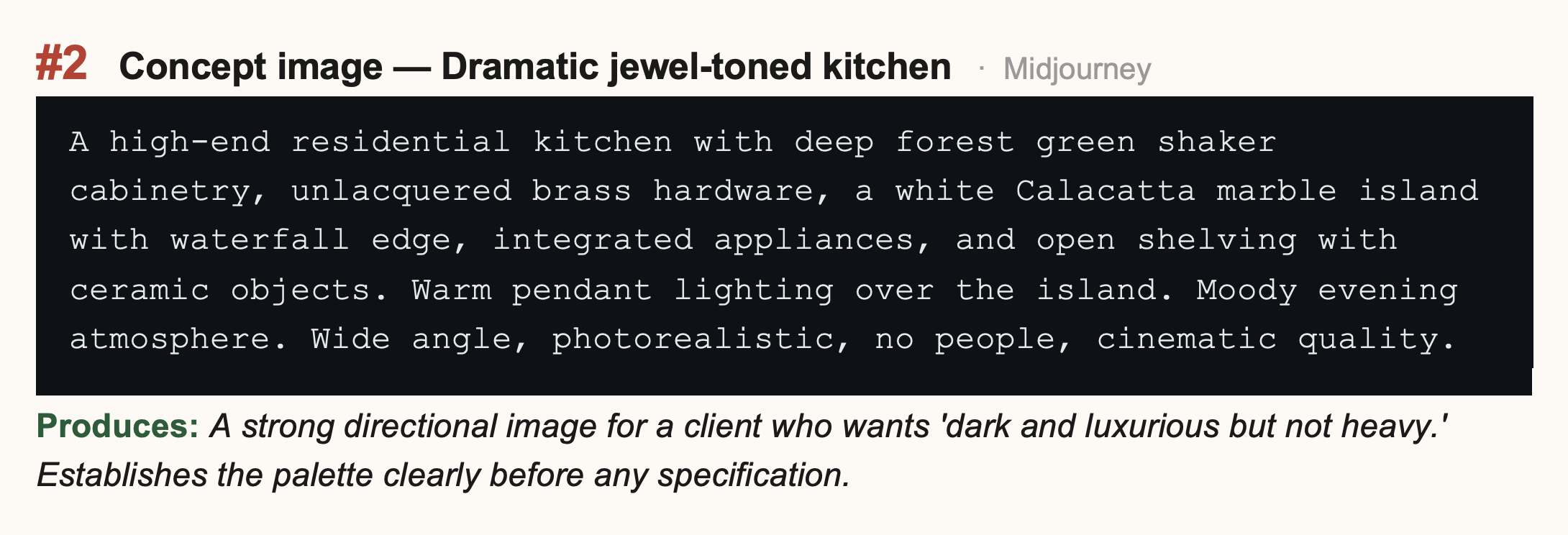
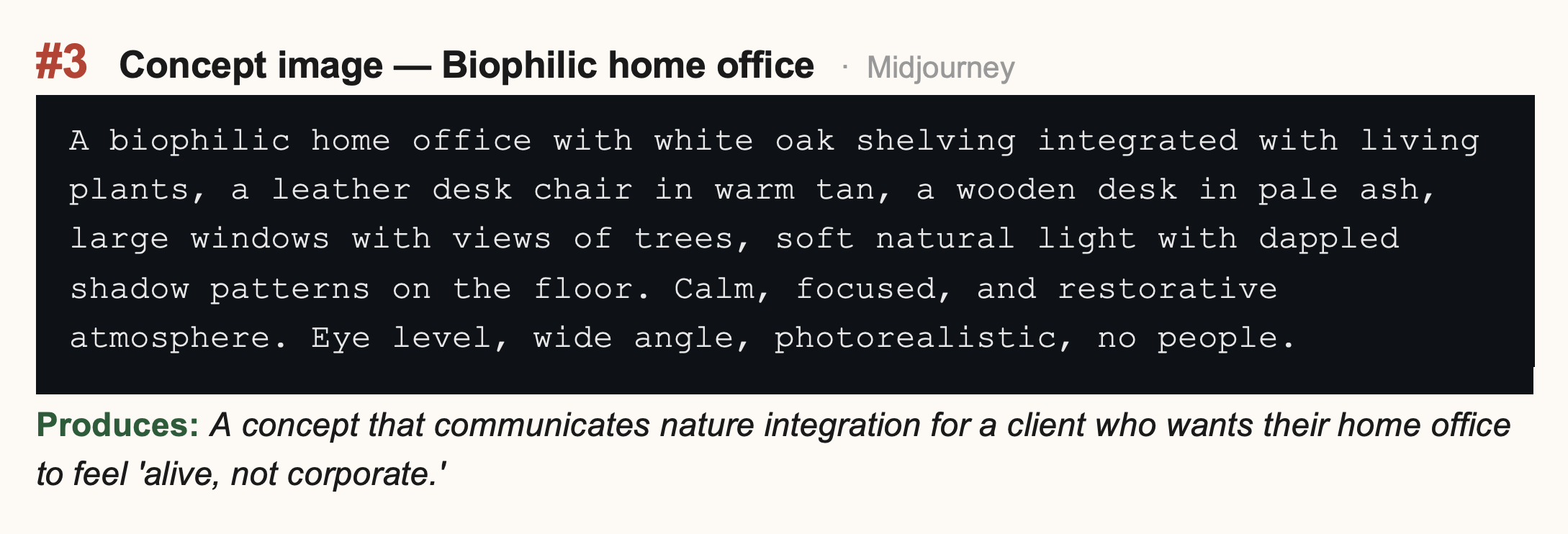
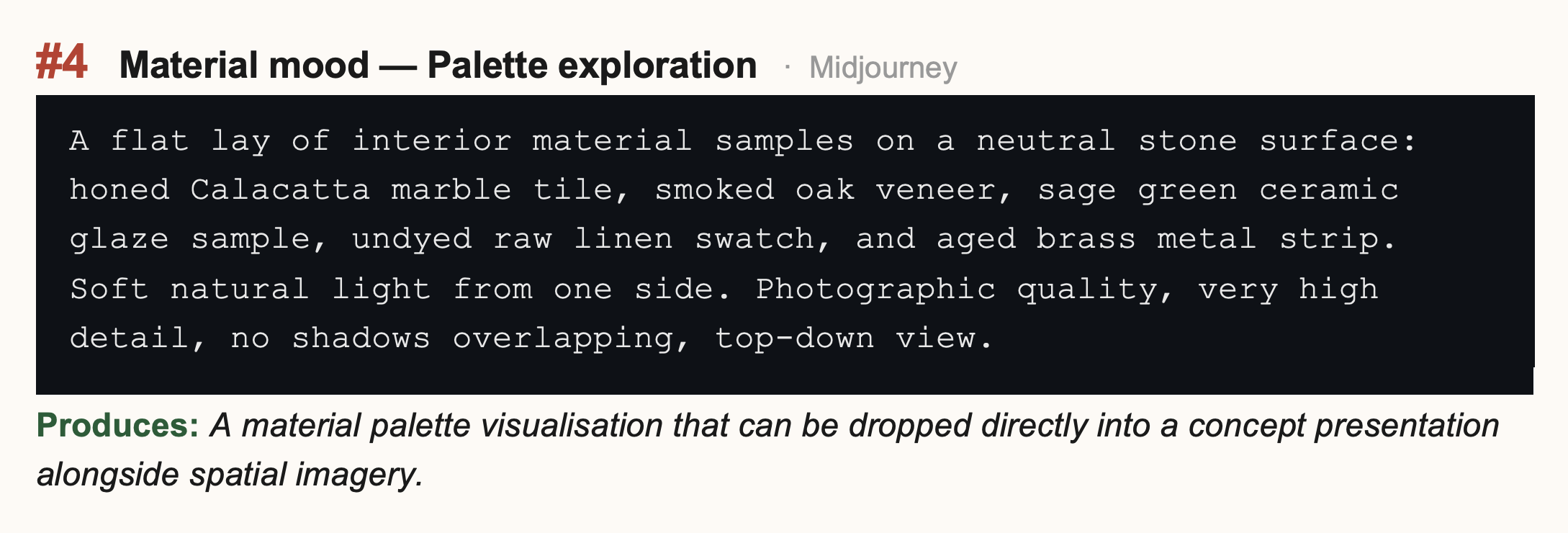
Building Your Own Prompt Library
The prompts above are starting points. The real value comes from building your own library — a document of tested, refined prompts that work for your specific style, client type, and workflow.
Every time a prompt produces output you're genuinely happy with, save it. Note what made it work. Adjust it slightly for the next variation. Over time you build a personal prompt bank that means you never start from scratch — you start from something that already works.
📁 Your Prompt Library Structure
Keep a simple document with three sections: Image Prompts (by room type and style), Writing Prompts (by task — emails, narratives, research, proposals), and Negative Prompts (the exclusions that consistently improve your output). Review and add to it every few weeks. After three months you'll have a toolkit that makes AI feel genuinely effortless.
One More Thing: Iteration Is the Real Skill
The designers who get the most from AI prompting aren't the ones who write perfect prompts first time. They're the ones who iterate quickly — who see an output, identify what's right and what's wrong, adjust one variable at a time, and generate again.
Think of prompting like briefing a very fast, very literal colleague. They do exactly what you ask. If the result isn't right, the question is always: what did I ask for that produced this? Change one thing. Try again. The feedback loop between prompt and output is where the learning happens.
You don't need to write a perfect prompt. You need to write a better prompt than last time. That's how prompting skill builds.
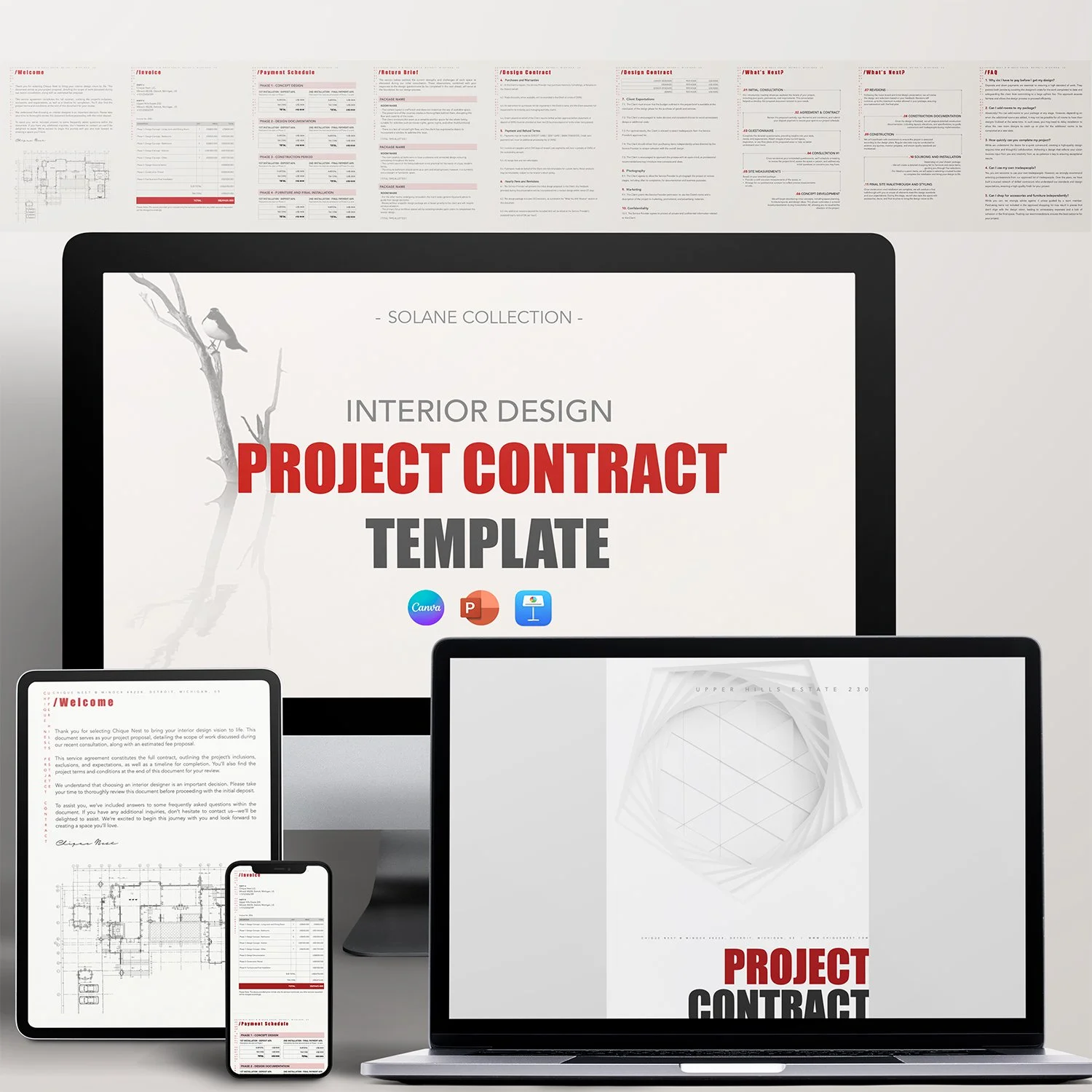
AI mood boards get clients excited. Professional presentation templates make sure that excitement converts into a signed proposal. Chique Nest's client presentation templates are built to showcase your concepts — AI-assisted or otherwise — in a way that reflects the quality of your work.

Stop sending clients a plain PDF and hoping it lands. The Chique Nest Project Proposal Template gives you a beautifully laid-out proposal that shares your inspiration, goals, requirements, mood board, and timeline — everything a client needs to say yes.
Tells the Full Design Story: From inspiration and design goals through to project requirements and mood board, clients see your thinking, not just your pricing.
Fully Customizable: Easily tailor fonts, colors, images, and layouts in Canva, PowerPoint, or Keynote to reflect your brand's unique identity.
Visual Project Timeline: A clean 5-phase timeline graphic so clients know exactly what to expect and when.
Past Work Built In: Dedicated "Our Works" pages with room to showcase real projects and client testimonials.
Save Time and Effort: Stop rebuilding a proposal deck from scratch for every new lead — just update the project details.
—— 📨 What’s Included in the download?
You’ll receive:
✅ 5 Files Total
• PDF with Download Link + Instruction Manual
• 1 Keynote Template
• 1 PowerPoint Template
• 1 Canva Template
• 1 PDF Example File by Chique Nest
✅ 17 Fully Editable Pages
—— 🖌️ What’s inside the template?
This comprehensive project proposal includes every section you need to pitch and win a new project:
✔️ Welcome
✔️ Finding Inspiration
✔️ Design Goals
✔️ Project Requirements
✔️ Mood Board
✔️ Project Timeline
✔️ Terms
✔️ Design Process
✔️ Next Steps
✔️ Our Works
✔️ Meet Our Team
✔️ Contact Us
—— 📂 File Format & Compatibility:
Available in Widescreen (16:9) format, this template is compatible with:
✔️ Canva (requires a free Canva account)
✔️ PowerPoint
✔️ Keynote
All elements are fully customizable, including fonts, text, images, and branding.